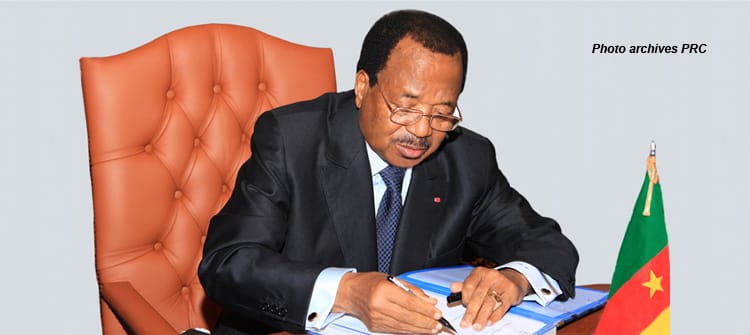
The ability to review files, communicate with teams, and approve administrative acts from abroad is now within reach. Yet when it comes to the head of state, remote governance cannot rely on standard digital tools. It demands systems capable of ensuring information confidentiality, verifying the leader’s identity, preserving document integrity, and tracking every instruction at every stage.
The debate over remote presidential work resurfaced after a statement from Cameroon’s Minister of Higher Education, Jacques Fame Ndongo. He dismissed claims of a leadership vacuum, asserting that President Paul Biya continues to oversee operations and issue directives—either in person or through known electronic channels. This raises a critical question: what secure digital infrastructure should a modern presidency deploy to receive, process, review, approve, and archive sensitive documents when the head of state is abroad?
Posting a decree on Facebook, X, or the presidency’s website is merely the final step in public communication. It reveals nothing about how the document was prepared, transmitted, reviewed, signed, registered, or stored.
Institutional email under the @prc.cm domain
The first requirement is the systematic use of official email addresses tied to the Presidency’s domain. Collaborators should have both personal accounts—such as [email protected]—and functional ones for the Secretary-General, Civil Cabinet, and other departments. The latter, like [email protected], should take priority.
Personal accounts—Gmail, Yahoo, or other consumer services—are unsuitable for sharing draft decrees, confidential memos, appointment files, diplomatic correspondence, or state-critical instructions. The issue isn’t just the security of these platforms but the lack of administrative control over them. The state cannot reliably manage their creation, connected devices, message retention, recovery, or deactivation after a staff member leaves.
A professional mail system under @prc.cm would enable the administration to:
- Create and revoke employee accounts;
- Enforce multi-factor authentication;
- Archive official exchanges;
- Detect suspicious logins;
- Block automatic forwarding to personal inboxes;
- Apply uniform security and retention policies.
Such a system should defend against identity theft and phishing using SPF, DKIM, and DMARC protocols, and encrypt server-to-server communications. Even with a secure institutional address, sensitive documents shouldn’t be sent as simple attachments. Instead, the system could notify recipients that a file is available in a protected presidential portal.
A presidential document management platform
The Presidency needs a dedicated electronic document management platform for state affairs. Each file should be logged with:
- A unique identifier;
- The author’s identity;
- Its confidentiality level;
- Authorized viewers;
- Document versions;
- Comments and approvals;
- Validation date;
- A complete access history.
With this tool, the head of state could access a document from a secure terminal, add notes, request edits, or approve proposals without the file being copied across devices or sent to personal mailboxes. For highly sensitive material, the platform could disable local downloads, printing, text copying, or unauthorized transfers. It would also log who viewed the document, when, from which device, and what changes were made.
Tamper-proof electronic signatures
Remote approval of decrees or decisions should never rely on a scanned image of a signature. Instead, an electronic signature based on digital certificates verifies:
- The signatory’s identity;
- The document’s integrity;
- The time and date of validation;
- That no changes occurred after signing.
The cryptographic key used for critical acts should be stored in a highly secure hardware module—not on a regular computer, USB drive, or personal phone. Any use of this key must require direct authentication from the president and generate a timestamped audit trail. For major decisions, the process could include multiple checks: presidential approval, technical signature verification, legal review of the act, official registration, and publication.
Zero Trust architecture for remote access
A Virtual Private Network (VPN) can secure connections between officials abroad and presidential servers—but it shouldn’t be the sole safeguard. The Presidency could adopt a Zero Trust model, which assumes no user, device, or network is inherently trustworthy. Each access request would be evaluated based on:
- The user’s identity;
- The device in use;
- The connection location;
- The document’s sensitivity level;
- The user’s access rights;
- Behavioral patterns during the session.
Accessing a presidential file could require, simultaneously, an authorized institutional computer, a digital certificate, an encrypted connection, a physical security key, and a local biometric check on the device.
Exclusively institutional devices
Presidential documents must never be accessed from staff members’ personal phones. Civil Cabinet, Secretary-General, and other relevant teams should use devices and mobile terminals owned and managed by the institution. These tools should be:
- Fully encrypted;
- Regularly updated;
- Limited to approved applications;
- Segregated from personal use;
- Remotely wipeable if lost;
- Automatically locked after brief inactivity;
- Blocked from connecting to unsecured public Wi-Fi.
A centralized terminal management solution would allow the administration to deploy updates, block dangerous apps, revoke devices, and remotely delete data in case of theft or compromise.
Phishing-resistant authentication
A password—even a complex one—should never suffice for accessing presidential files. Authentication should combine:
- An institutional device;
- A personal code;
- A physical security key;
- Optionally, a local biometric check.
While SMS codes can enhance security, they remain vulnerable to certain attacks. For the most sensitive accounts, physical keys and digital certificates offer stronger protection against phishing. Staff should also receive regular training to spot fake messages, fraudulent urgent requests, malicious links, and attempts to impersonate superiors.
WhatsApp for alerts, not documents
WhatsApp is widely used in Cameroon, even in government circles, thanks to its end-to-end encryption. However, this doesn’t make it an official platform for managing presidential documents. A file sent via WhatsApp could still be compromised through:
- A lost or hacked phone;
- A screenshot;
- Unauthorized forwarding;
- Linked devices or insecure backups;
- Personal phones of former staff.
WhatsApp lacks the tools to classify files, manage permissions, track versions, record approvals, or ensure proper archiving. The app could instead be used to announce that a document is available in the secure presidential portal—for example, a message like: “File PRC/SG/2026/125 is ready for review in your secure workspace.” The document itself should never be attached.
Secure government videoconferencing
Remote exchanges between the president and collaborators could also run through a dedicated government videoconferencing platform. This solution should provide:
- Encrypted communications;
- Participant identification;
- Strict invitation controls;
- Protection against unauthorized recordings;
- Retention of connection logs;
- Use of institutional terminals only;
- Data hosting under state control.
Public links, free accounts, and unvetted apps must never be used for meetings on defense, diplomacy, appointments, or government arbitration.
Classifying documents by sensitivity
Not all presidential documents carry the same risks. A classification policy could define four levels:
- Public: intended for dissemination;
- Internal: working documents for government services;
- Confidential: disclosure could harm public action;
- Highly sensitive: defense, intelligence, diplomacy, strategic appointments, or major rulings.
Each level dictates the allowed transmission channel, authorized personnel, permitted devices, printing rights, retention periods, and archiving methods. A public document might be sent via professional mail, while a highly sensitive file should only be accessible through a tightly secured portal.
Comprehensive audit trails for every decision
Every consultation, edit, approval, or transmission should be automatically logged. Security logs must detail:
- Who accessed the document;
- When they did so;
- From which device;
- What changes were made;
- Who approved the final version;
- When it was registered and published.
A security operations center could detect unusual activity, such as an unrecognized device attempting access, a bulk download of files, or an attempt to modify an official act. This traceability would also help reconstruct events in case of leaks, intrusions, or disputes over the authenticity of a decision.
Distinguishing official decisions from social media posts
The Presidency’s Facebook and X accounts inform the public quickly. They are not, however, the systems used to prepare and approve decisions. Before a decree is published online, it must follow a rigorous process:
- Transmitted through authorized channels;
- Authenticated by competent authorities;
- Verified as the final, unaltered version;
- Timestamped upon validation;
- Stored in official archives.
A visible signature on an online image is not, on its own, sufficient proof. Security depends on the full process that preceded publication.
Ten priority actions for the Presidency
The Republic’s Presidency could implement ten essential measures:
- Mandate professional email under the @prc.cm domain;
- Ban personal Gmail, Yahoo, and similar accounts for state business;
- Deploy a presidential electronic document management platform;
- Introduce a secure institutional electronic signature system;
- Provide staff with exclusively professional phones and computers;
- Enforce multi-factor authentication resistant to phishing;
- Restrict WhatsApp to alerts and coordination;
- Classify documents by sensitivity levels;
- Centralize access logs in a security operations center;
- Train staff regularly on espionage, phishing, and information leaks.
While no public information confirms that Cameroon’s Presidency currently uses all these safeguards, they represent the minimum standards any institution handling remote state affairs—finance, diplomacy, security, and continuity—should adopt. The challenges of secure document transmission, electronic signatures, data sovereignty, and digital state continuity will be at the heart of E-Gov’A 2026, the Africa E-Governance Summit, Expo & Awards, taking place October 14–16, 2026, in Yaoundé. This year’s theme: “Artificial intelligence and e-governance: building efficient public services in a cashless, paperless Africa.”
The core question isn’t whether a president can work from Geneva, Paris, or New York. It’s whether the tools used can authenticate their decisions, protect state secrets, trace instructions, and ensure no one can alter, divert, or fabricate an act in their name.
Modern tools and full traceability
Remote presidential work isn’t an insurmountable technological challenge. The real hurdle is trust in the tools and procedures. In an era of artificial intelligence, cyberattacks, and digital forgeries, the state can no longer rely on informal digital methods. It must deploy modern tools, means, and processes to ensure every critical decision leaves a clear trail: who posted what, approved what, when, through which channel, and with what security guarantees?